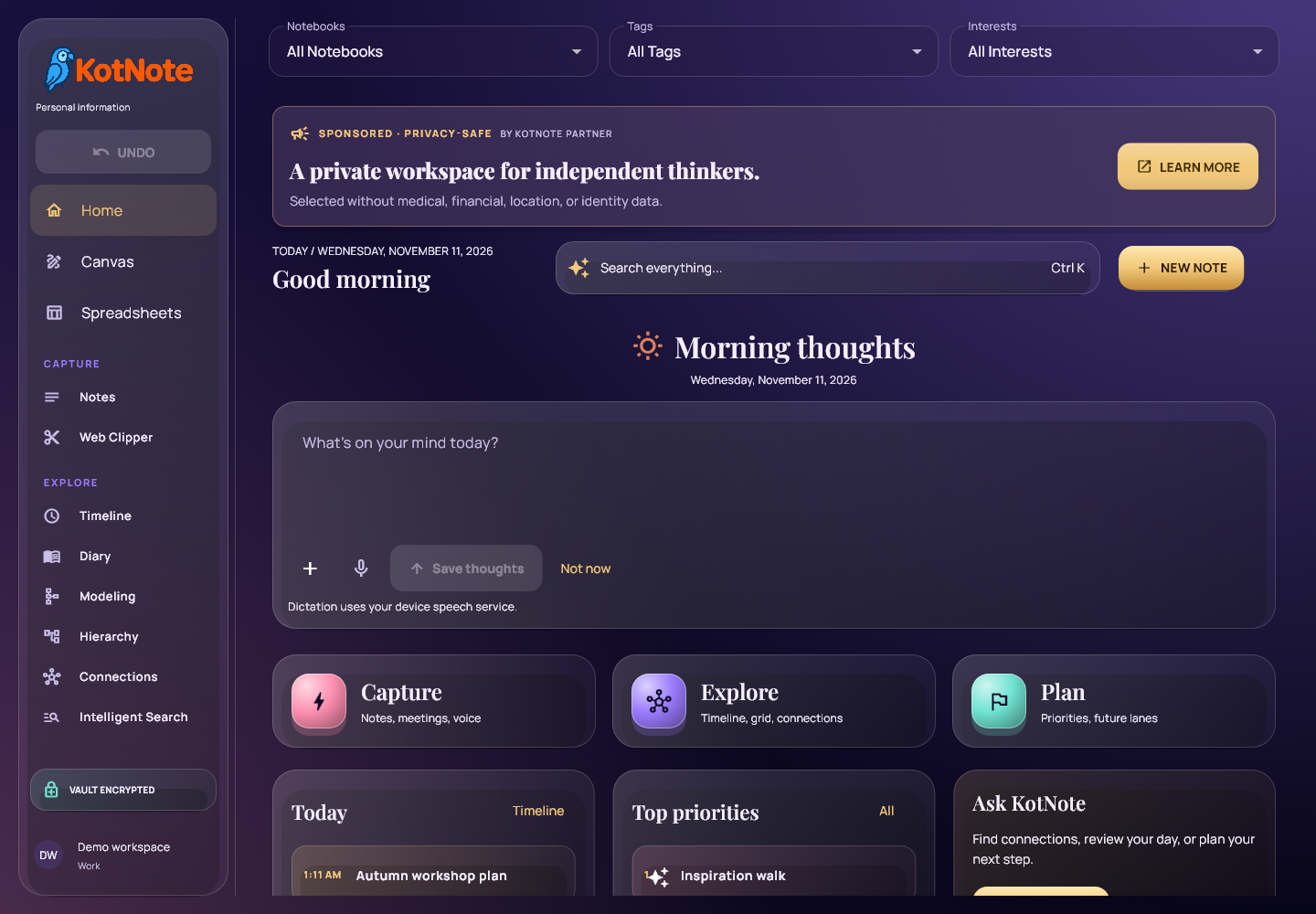

A note is easier to use when you can find it in the context of your day, connect it to a bigger picture and turn it into a plan. The work completed on 10 November brings those steps closer together in KotNote: a Diary with a calendar, daily thoughts, faster Home loading and a new Modeling workspace.
Release timing: this is our development roundup for 10 November 2026. The final Diary shortcuts, Explore controls, navigation Undo and Windows package went live at 00:49 EET on 11 November. Everything shown below is now available in KotNote 0.6.79 in the browser and on Windows.
The screenshots show the real application with fictional example data. Select a screenshot to open it at full size.
Your days, with a calendar beside them
Open Diary and choose a day in the calendar. That day’s information nodes appear together, so a morning idea, workshop notes and an evening reading journal are easy to revisit. The calendar shows daily counts and previews of note titles, helping you find the day you remember.
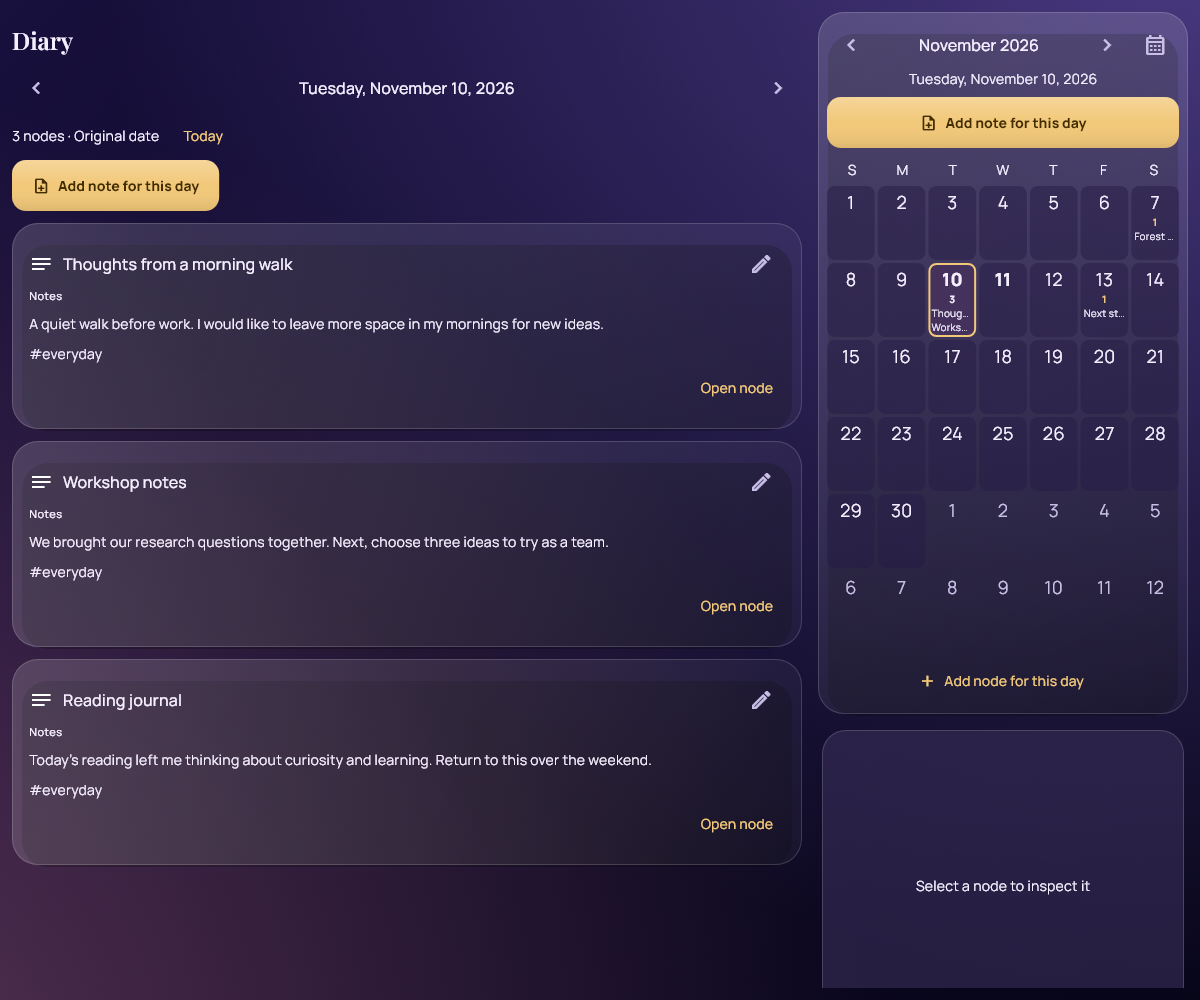
You can edit an entry directly from Diary. Notebook, Tag and Interest filters work across the calendar and entries, and carry with you when you switch views. On a wide screen, the calendar sits beside the diary; on a phone, the content follows one vertical scroll area.
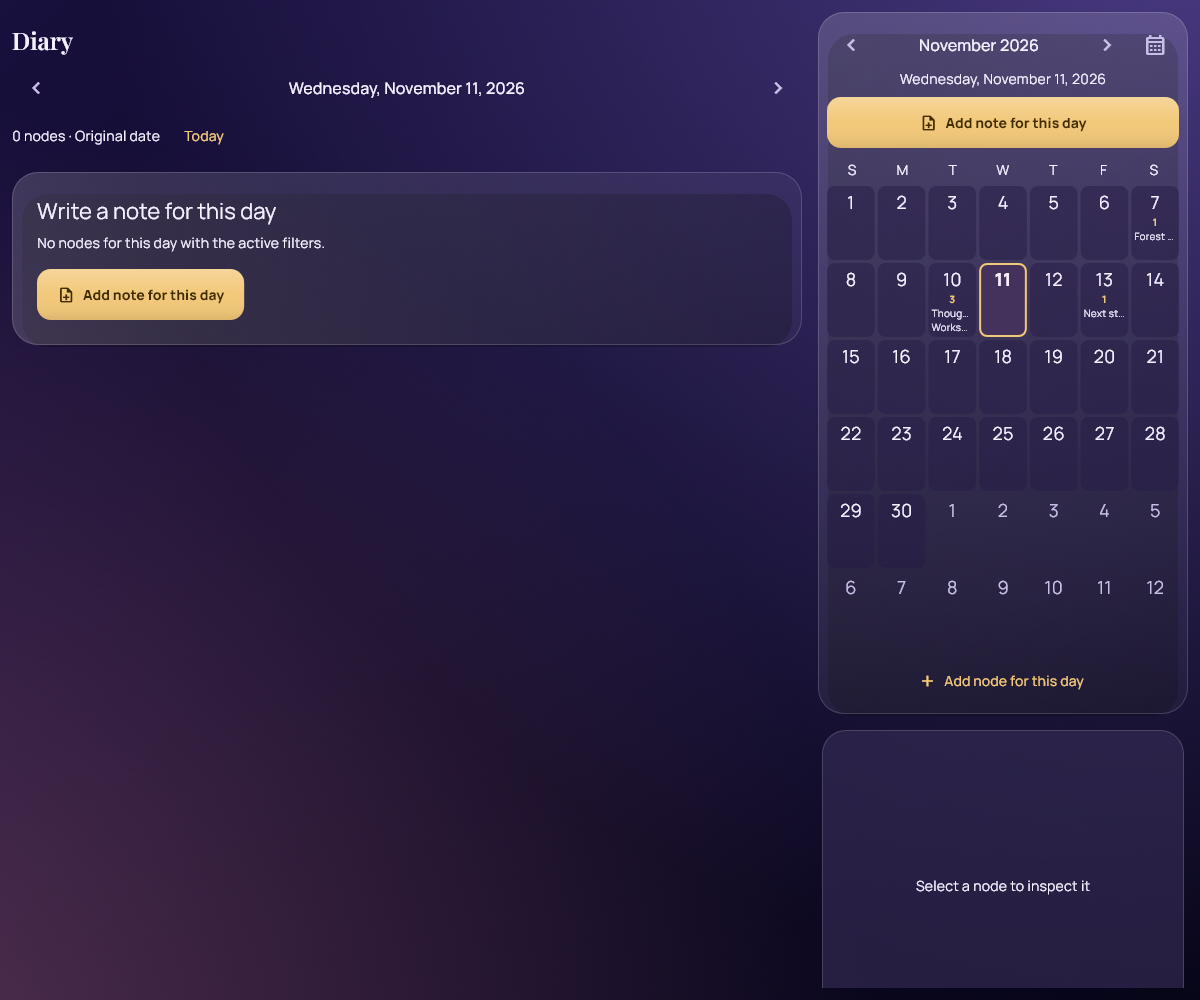
The final release also makes an empty day useful. Choose Add note for this day to start writing, even when no nodes match the date and filters. The same action is available above existing entries and near the top of the calendar. Your new note starts with the selected date and filters; you can change its date before saving. The general Add node action remains available for other kinds of information.
A small space for today’s thoughts
Home and today’s Diary now offer a writing box for your morning, afternoon or evening thoughts. Capture something you learned, an idea worth keeping or a moment you want to remember. Saving turns it into a normal dated note in your workspace.
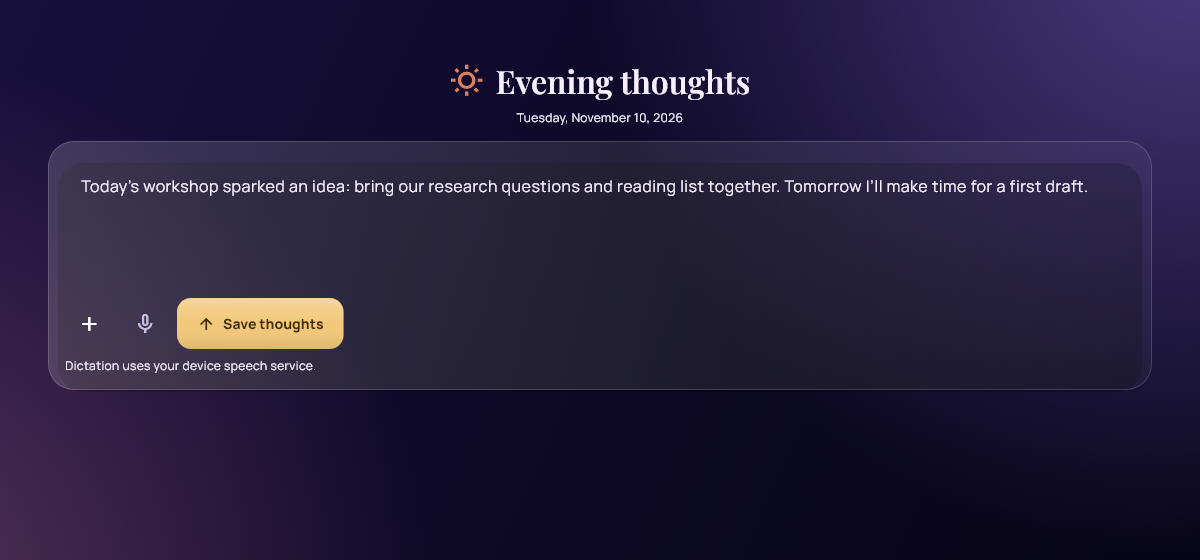
Unfinished text stays in a local draft as you move between views or reopen the app. You can dismiss the invitation and return later. Optional dictation uses your device or browser’s speech service when available; typing always remains an option. Saving a reflection does not send it for AI processing.
Get to your notes sooner
Home now displays locally saved notes while synchronization continues in the background. Incoming notes refresh the views, and the workspace stays open while initial device setup finishes. This helps you start working without waiting for every network step to complete.
In a controlled Chrome test with 500 synthetic notes and an intentionally delayed six-second sync response, the median time until note titles appeared fell from 7.317 seconds to 1.046 seconds across three runs. This measures that test scenario, not a guaranteed loading time; actual results depend on your device, connection and collection.
Modeling: from structured information to a roadmap
The new Modeling workspace brings four related tools into KotNote. Use them to describe a project, map information assets or understand how systems and activities depend on each other. Models can link to your existing KotNote nodes.
Portfolio tables with Excel interchange
Create a table with the fields your subject needs: text, numbers, dates, categories, yes/no values, URLs and node references. Search, filter and sort the rows, then inspect numeric totals and category distributions. Import and export Excel XLSX workbooks to move information between KotNote and your existing spreadsheets.
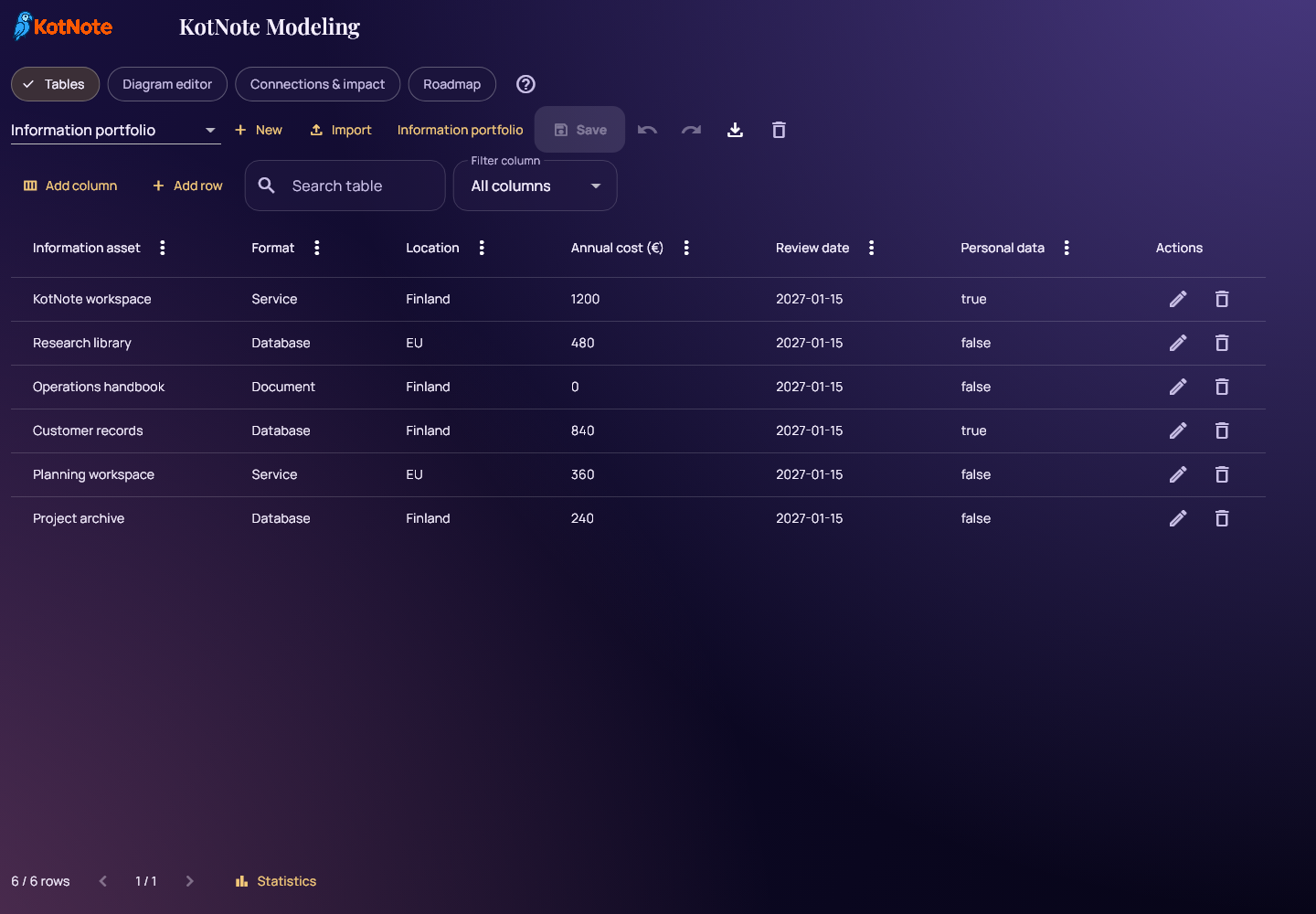
Portfolio XLSX support is separate from KotNote’s lightweight spreadsheet editor and its CSV support. Imported Excel formulas use their saved values; KotNote does not execute those formulas or reproduce every Excel formatting feature.
Diagrams you can connect to your notes
Place shapes, label their relationships and link them to existing nodes. The diagram editor includes visual palettes for BPMN, ArchiMate, UML, ER and Lean VSM, along with dragging, colors, alignment, zoom and grid snapping. You can also import basic Draw.io and Visio VSDX/VDX diagrams and review the result.
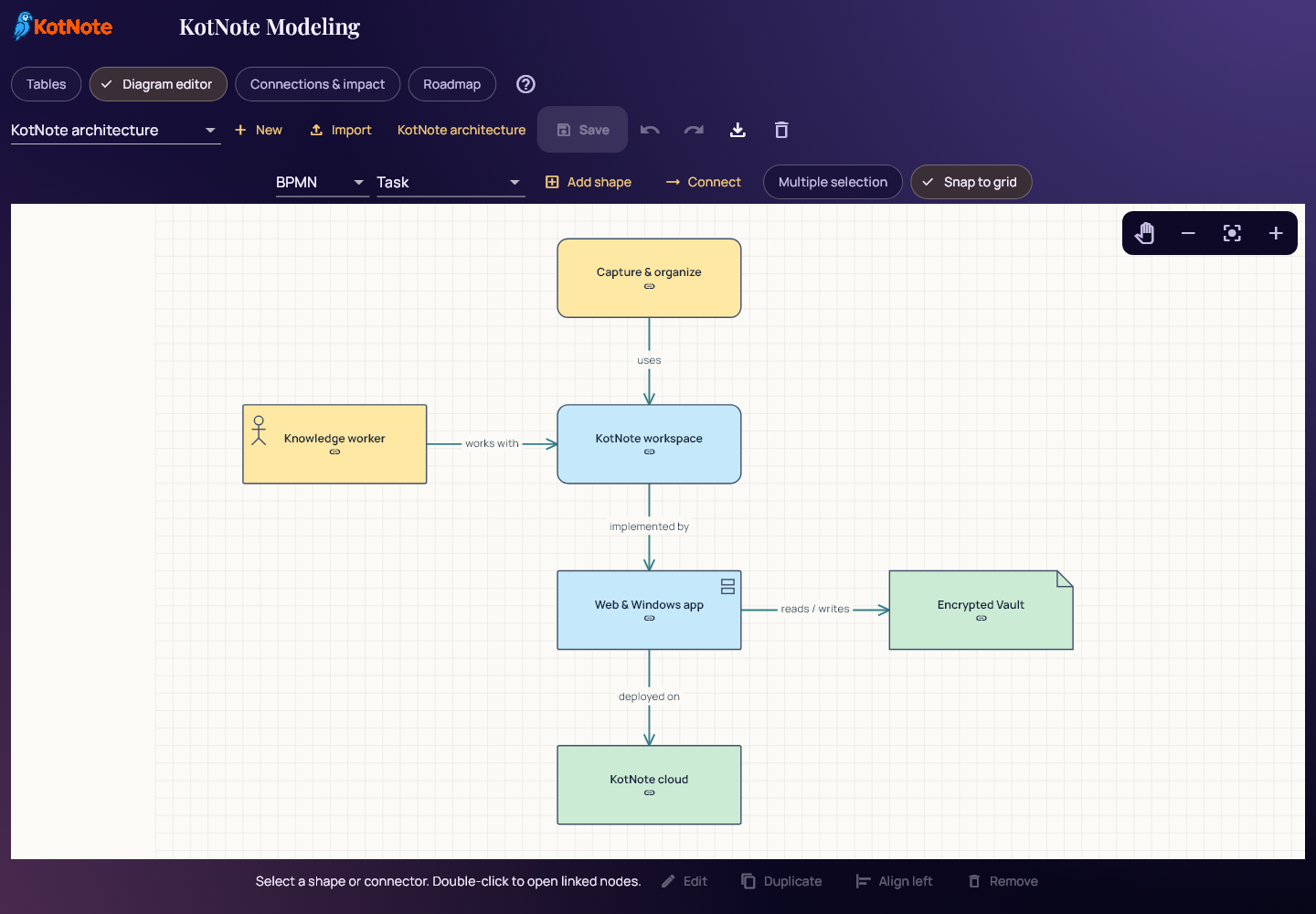
These palettes help you draw visual models; they do not execute processes or validate every rule of each notation. Imported diagrams may simplify unsupported shapes and styling.
Connections and impact
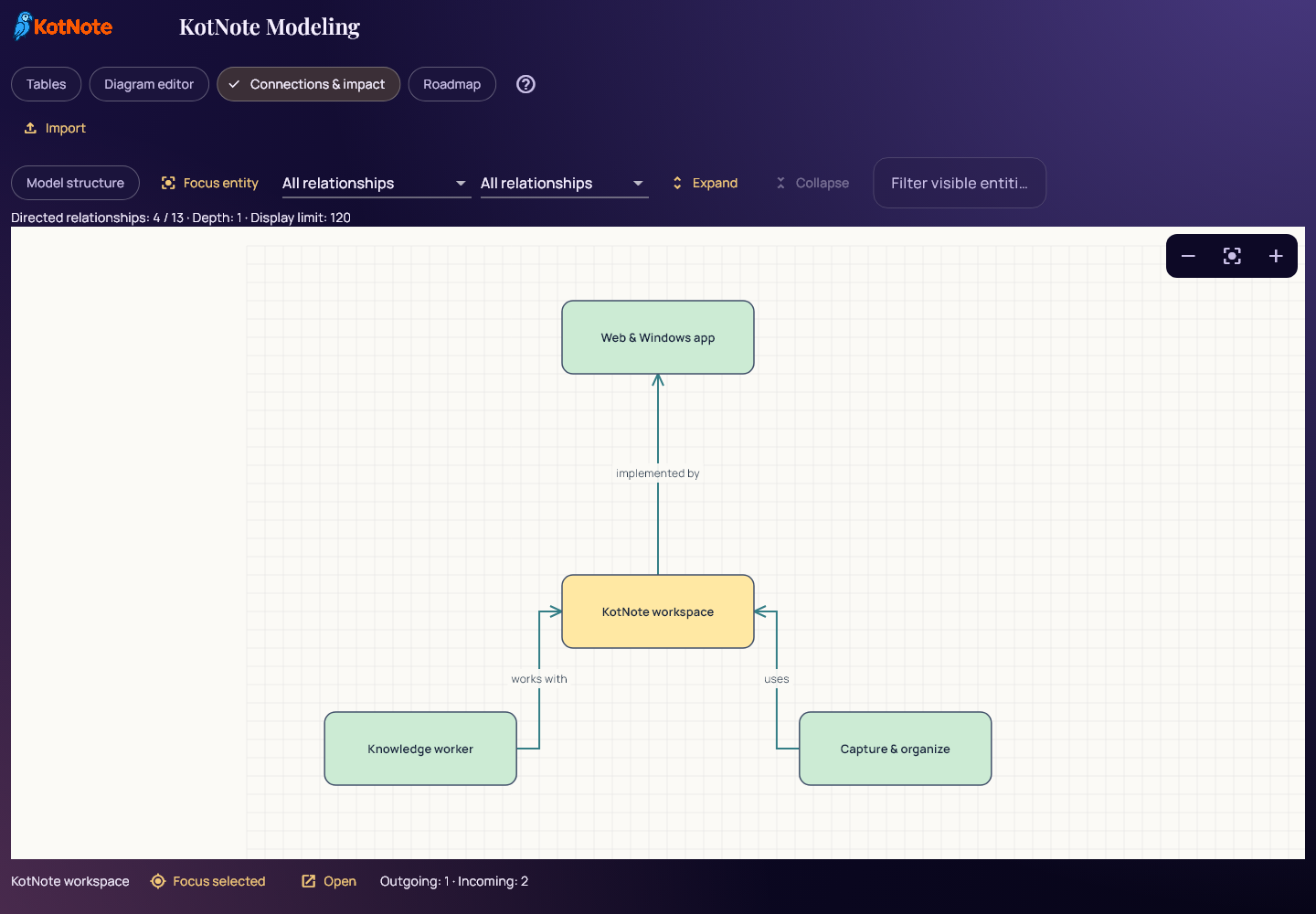
Focus on one entity to examine its incoming and outgoing relationships. Expand the view, filter by relationship and open linked nodes to inspect the details. This gives you a practical way to explore what a change could affect without losing the information behind the diagram.
A roadmap for the next steps
Plan projects, phases, actions and milestones on a Gantt timeline. Set dates, track progress and dependencies, and describe the current and target states. Linking roadmap items to nodes keeps the plan close to the notes and context that explain it.
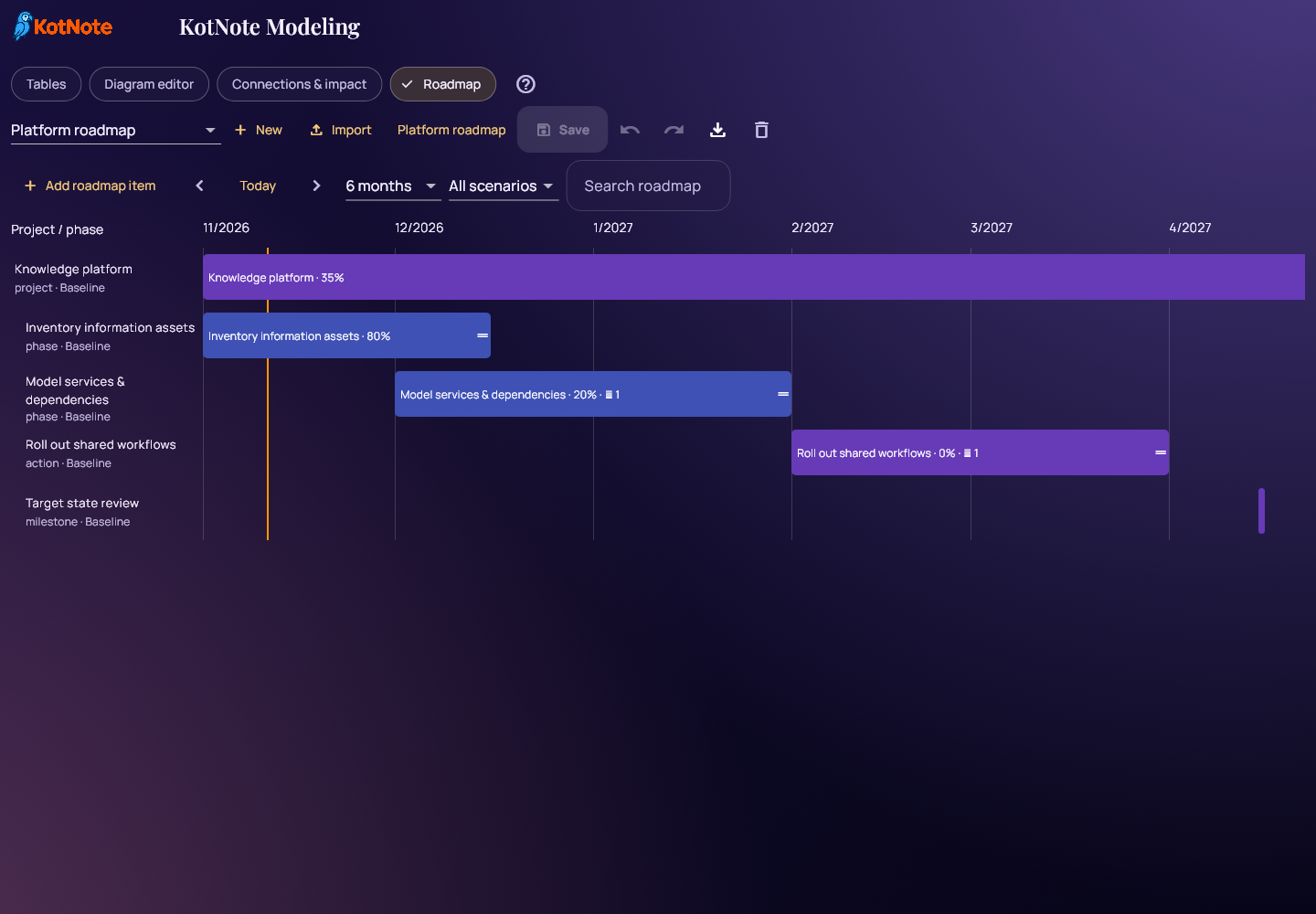
Use Save in Modeling to store your work in the encrypted Vault. Save before refreshing or closing the app: unsaved model edits remain in the open editor.
Give Explore more of the screen
The final release adds Hide menu and Maximize view controls to Explore. Hiding the menu removes the navigation rail and its reserved space. Maximizing gives the active view more room while preserving your selection and filters.
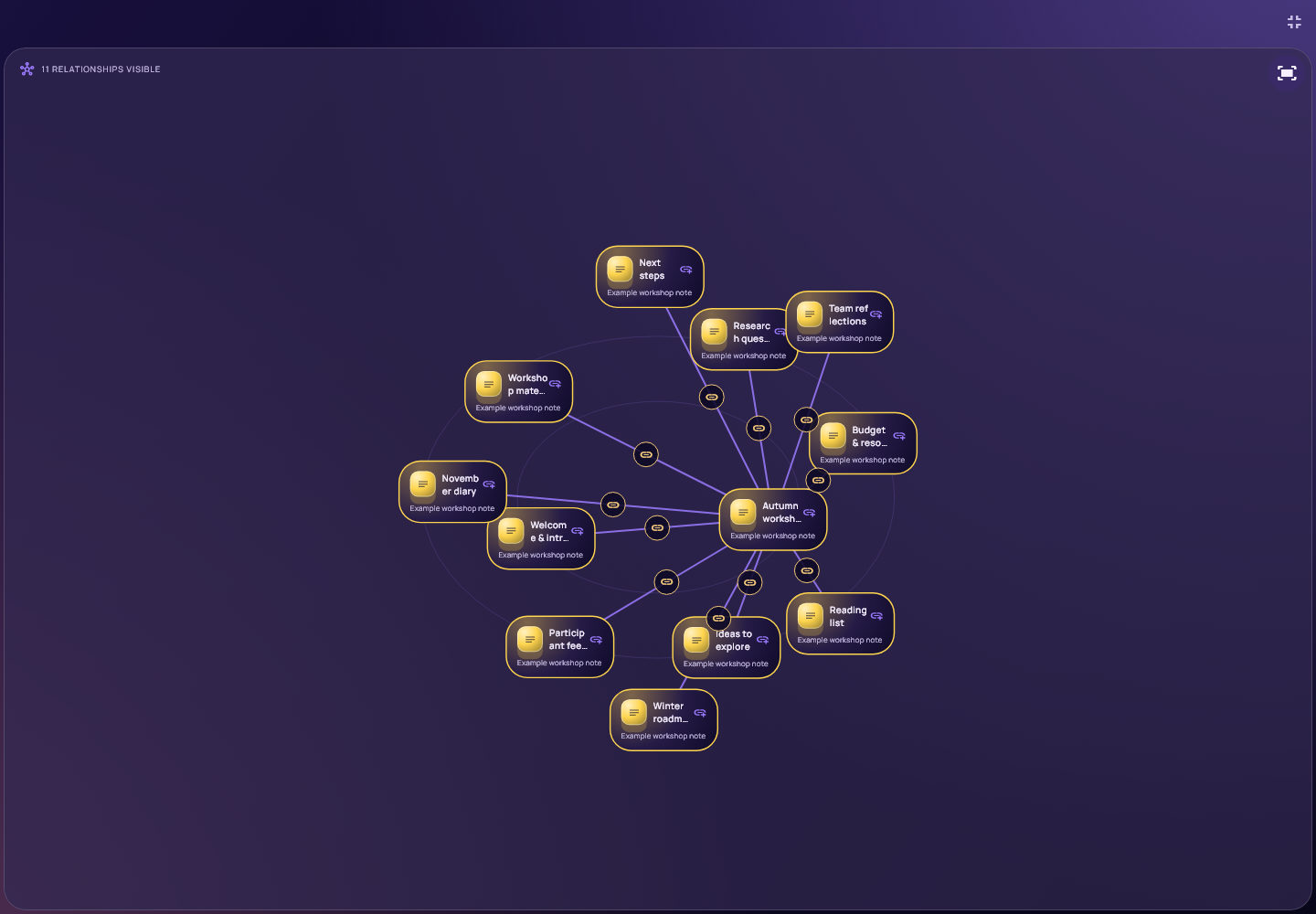
In Helicopter, the displayed nodes fit the available viewport when its size changes. Use Fit to screen after panning or dragging, and zoom in when you want more detail. The existing filters and graph display limit still apply. Restore the view with its button or Escape.
Undo now lives beneath the KotNote logo in the left navigation menu instead of floating over the workspace. On mobile, find it at the top of the main menu.
Available in the browser and on Windows
The final 0.6.79+103 release brings these changes to both the browser app and Windows x86-64. Existing accounts and encrypted Vault data remain compatible. The release passed 106 targeted regression checks, alongside package, deployment and browser-rendering checks.
Open KotNote in your browser or download KotNote for Windows. For Windows, extract the complete ZIP and keep the DLLs and data folder beside KotNote.exe.
Start with one day in Diary, save a thought, or open Modeling to sketch the structure of your next project.