

KotNote has a new look and two new ways to work: Canvas and Spreadsheets. The redesign makes it easier to find your way around, and the new features give your notes room to grow into plans, sketches and numbers, all inside the same private, encrypted vault.
KotNote is an AI-supported personal information manager. It helps you capture notes, see how they connect and turn them into plans. Here is what is new.
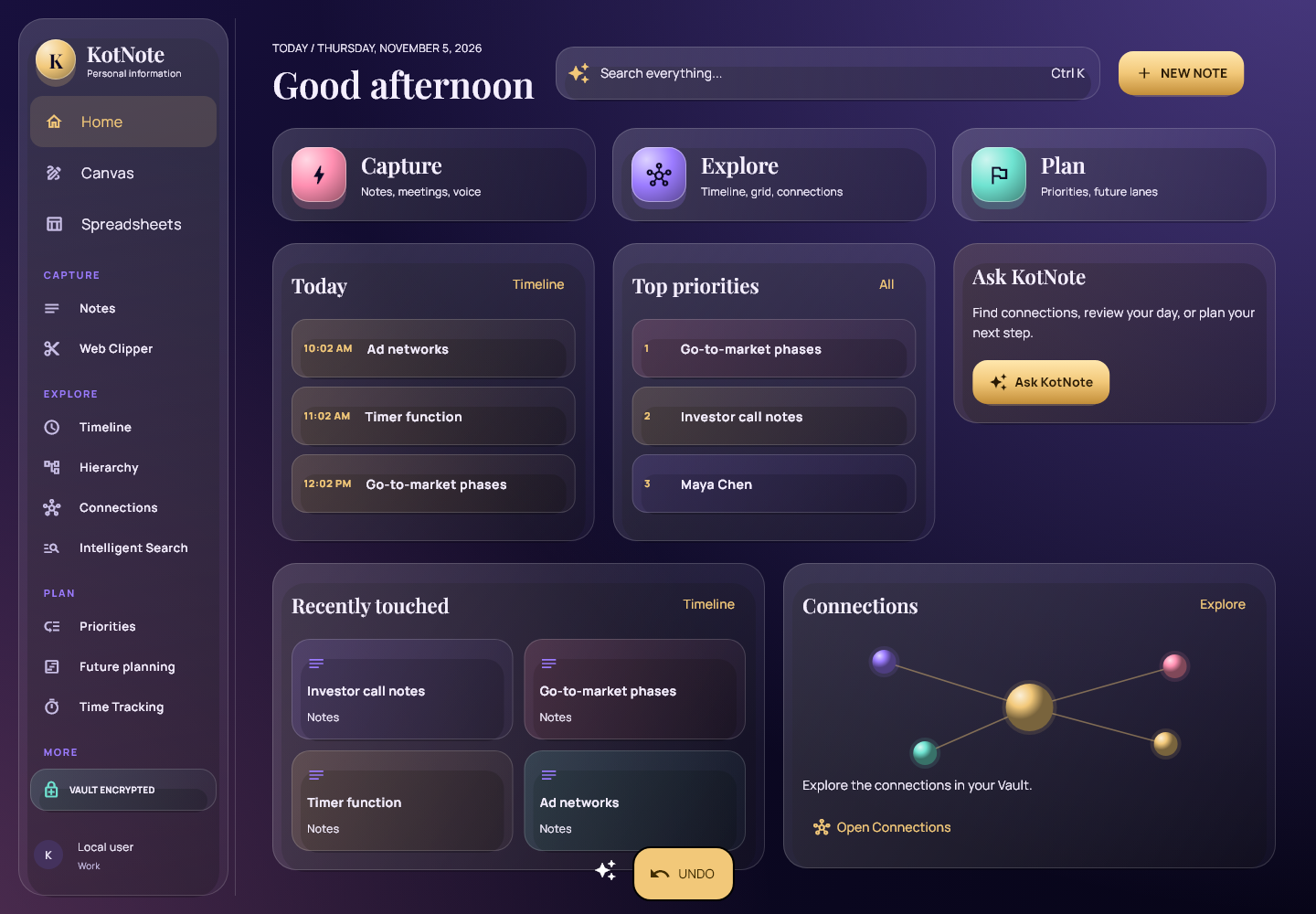
A cleaner, easier interface
The biggest change is navigation. Instead of a long list of separate views, KotNote is now organised into three areas:
- Capture: notes, meeting notes and voice input.
- Explore: Timeline, Grid, Hierarchy and Connections, switched with one control at the top of the screen. Your filters stay in place when you switch.
- Plan: Priorities and Future Planning.
A single Ask KotNote bar sits at the top of every screen. Type or speak a question, or search everything you have saved. The new home screen shows today’s schedule, your top priorities and suggestions from KotNote, such as turning deadlines it found in your notes into tasks.
The views you already know are all still there. Timeline shows your information in time.
Connections lets you explore a selected note, its relationships and its details in one view.
Future Planning arranges tasks into lanes and stages, with dependencies between them.
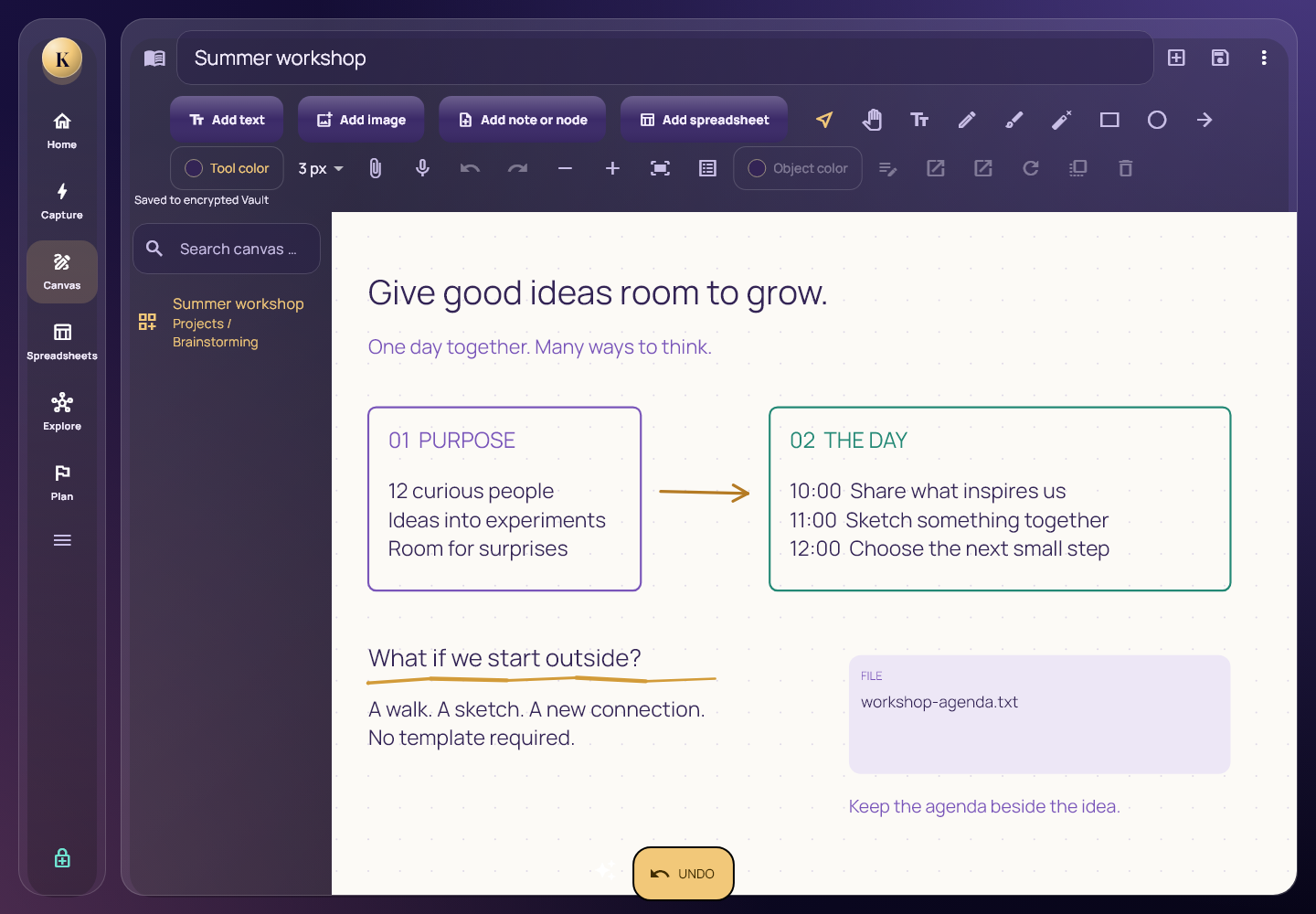
New: Canvas
Canvas is an open, free-form space for thinking visually. Drop notes onto it, move them around, group related ideas and draw links between them. It suits brainstorming, planning a project or laying out a trip before the details are clear.
Everything on a Canvas stays a real KotNote note. Tags, connections and reminders work exactly as they do elsewhere, so an idea you sketch on a Canvas also shows up in Timeline, Connections and search.
New: Spreadsheets
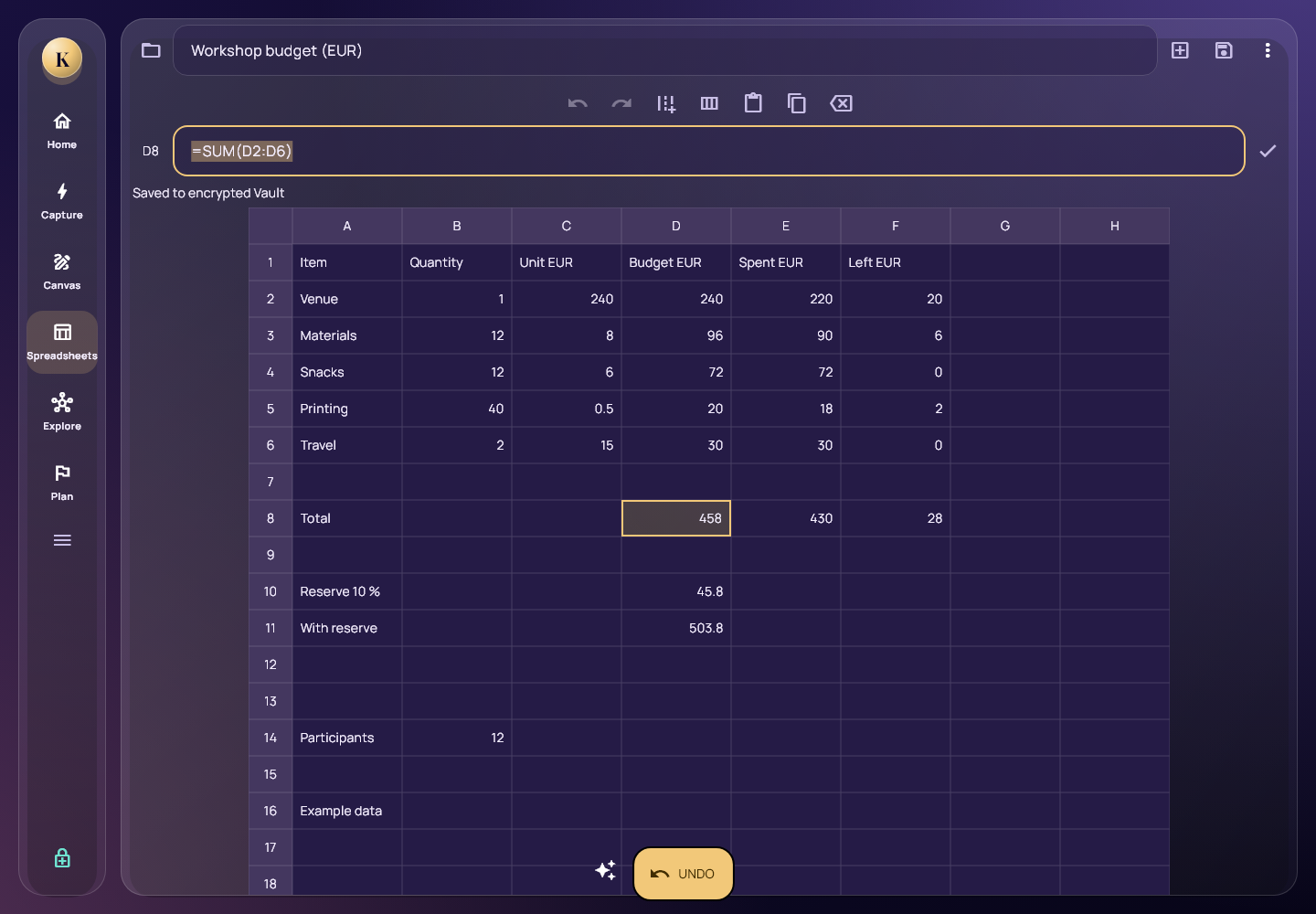
Some information is easier to handle in rows and columns: a budget, a reading list, a packing list with quantities, or a comparison of options. Spreadsheets bring that into KotNote, so the numbers live next to the notes they belong to.
A spreadsheet can be linked to notes and tasks like anything else in KotNote, and it is protected by the same zero-knowledge encryption.
What stays the same
Your information is still yours alone. Everything is encrypted with a zero-knowledge design, so only you can read it, and KotNote asks for confirmation before sensitive actions such as deleting or sharing. (KotNote blog)
The AI features carry on across the new views. KotNote still summarises notes, suggests titles and tags, finds dates, deadlines and action points, and connects related notes, files, contacts and events.
The Notes editor is where it all starts: capture an idea, add tags and see your edit history.
Try it now
The new interface, Canvas and Spreadsheets are available. Log in at kotnote.fi to see the changes, or choose Try KotNote to start for free.
We would love to hear what you think. Send us your feedback at mailto:[email protected]